No more “I thought you had it.”

Snap the note from school, dictate an appointment: the task lands on both your iPhones. You always know who’s on it, and nothing slips through the cracks.

Free TestFlight beta · iPhone, iOS 18 or later

  • Free to share and capture
  • Fiou! never sees your list
  • In English and French
The Fiou! To do screen. At the top, under “Nobody”, three dashed tasks no one has taken yet: Léa’s medical certificate to check, the canteen enrollment with its deadline in red, the hallway light bulb; the last two with an I’ll take it button. Further down, under “Me”, the tasks already taken, in their owner’s color.

Three steps, zero mix-ups.

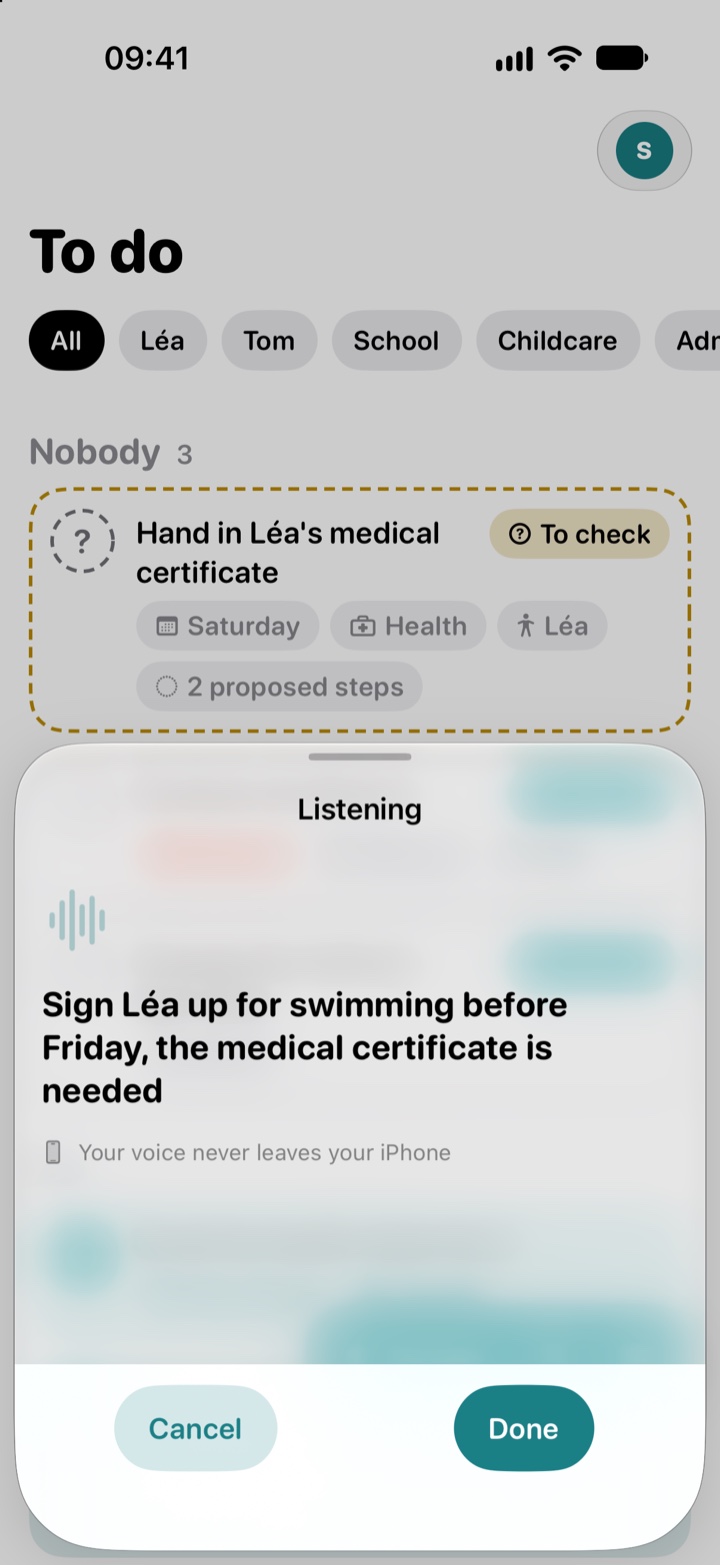
  1. The Fiou! dictation screen, with “Listening”, the dictated sentence “Sign Léa up for swimming before Friday, the medical certificate is needed” and the line “Your voice never leaves your iPhone”.

    Dictate, scan or type. It’s on the list.

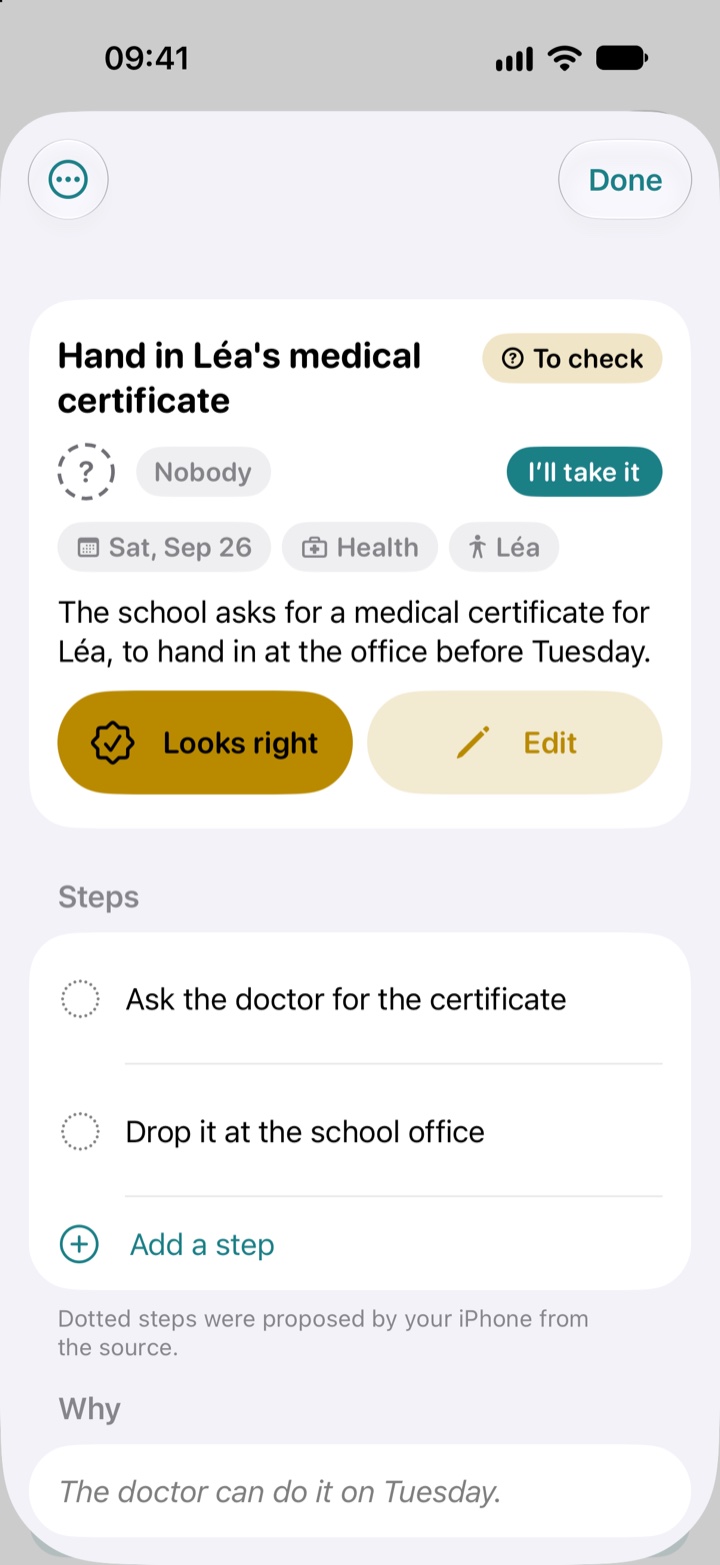
  2. A task the iPhone prepared, to check: “Hand in Léa’s medical certificate”, not taken by anyone yet, with its date, the Health category, Léa, a summary of the letter, the Looks right and Edit buttons, and two proposed steps.

    Your iPhone turns it into a clear task.

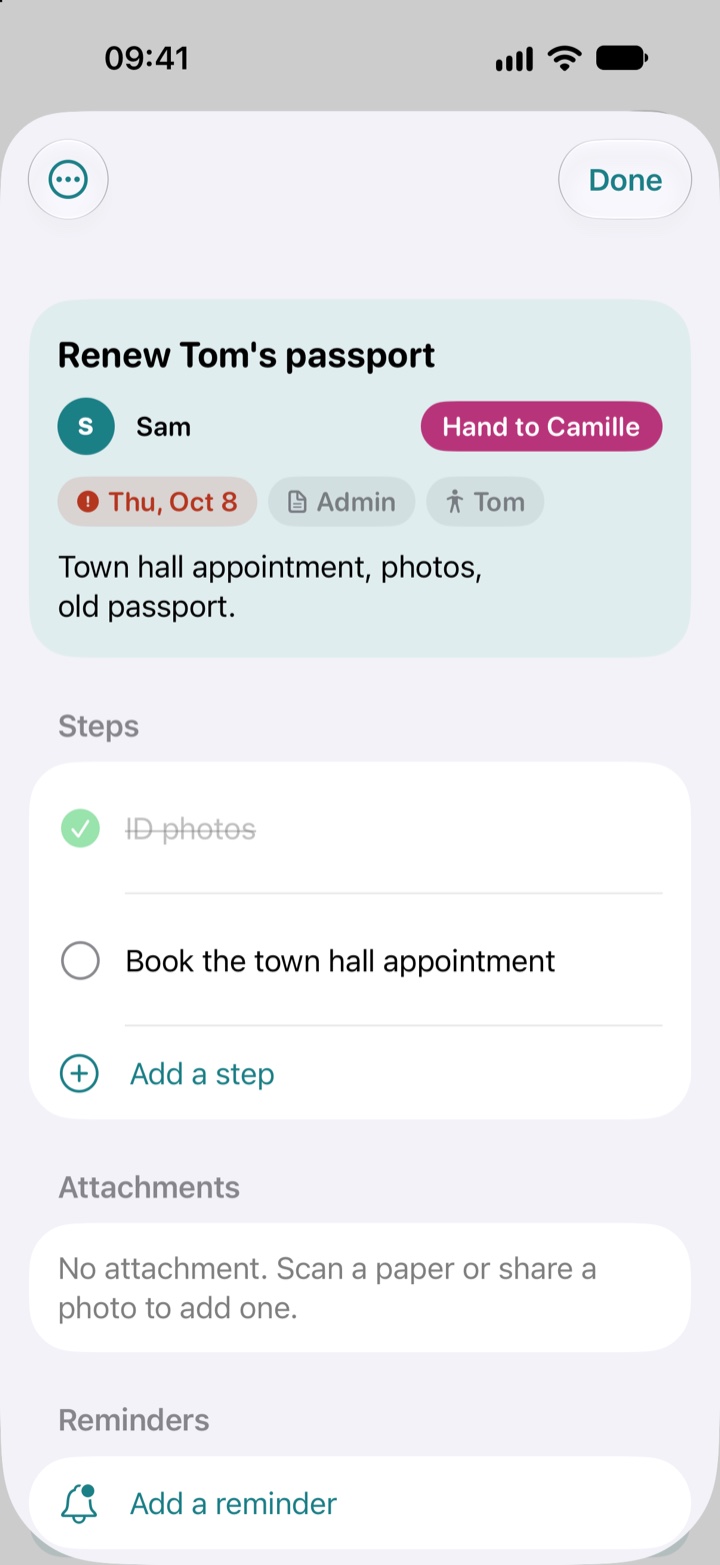
  3. A task Sam has taken: “Renew Tom’s passport”, with its deadline, one step done and one to do, and the Hand to Camille button.

    One of you takes it, the other knows.

What you dictate stays on your iPhone.

Your iPhone does the listening, and prepares the task itself. Your voice never leaves it.

Your list travels through iCloud, from one iPhone to the other. Fiou! never sees it.

With Fiou+, when the iPhone can’t prepare a task (an older model, a very long text), Claude, by Anthropic, steps in, without ever seeing your family’s first names. Nothing is sent until you allow it.

Where a scanned task came from: “Scanned 3 hours ago”, “Structured on iPhone 3 hours ago”, then the text of the letter.
The Memory screen: Léa’s school, the CAF number marked with a lock, the home insurance, Tom’s allergies, the gate code, marked too.

“What’s the gate code again?”

Household memory, free, keeps what you’re always looking for: codes, numbers, contracts, allergies. Mark a detail sensitive and the assistant never reads it.

Free for two. Fiou+ to go further.

Free

  • The shared list, on both your iPhones
  • Capture: dictation, scan, share, keyboard
  • Tasks prepared by your iPhone, if it’s compatible
  • Reminders
  • Household memory

Fiou+

  • Tasks prepared even on an older iPhone
  • The private assistant, coming soon to the beta

Price announced at launch. Fiou+ turns on for the Apple account that subscribes.

Questions

Do we each need an iPhone?

Yes. Fiou! runs on iPhone from iOS 18, each of you with your own iCloud account. You invite your partner with a link.

What if my iPhone doesn’t have Apple Intel­ligence?

The list, capture, sharing and reminders work from iOS 18. For your iPhone to prepare tasks itself, it needs iOS 26 and a compatible model. Otherwise the task keeps your words and you fill it in; with Fiou+, Claude, by Anthropic, steps in.

Who sees what?

Tasks are shared between the two of you. Your conversations with the assistant stay private: only what it does on the list is shared.

All the questions

Paper­work, for two. Then exhale: Fiou!